
Authenticate as an app
Create app credentials in Shapemaker and use them to call the API.
Integrations authenticate as an app: a set of credentials that belongs to your organization rather than to a person. Apps use the OAuth 2.0 client credentials grant, which most HTTP and OAuth libraries support.
Before you start
Section titled “Before you start”Shapemaker switches on two things for you. Contact Shapemaker if either is missing.
- API access for your organization. Without it, you can’t create apps or secrets.
- App management for your user. Without it, the Apps page doesn’t appear under Organization.
Create an app
Section titled “Create an app”-
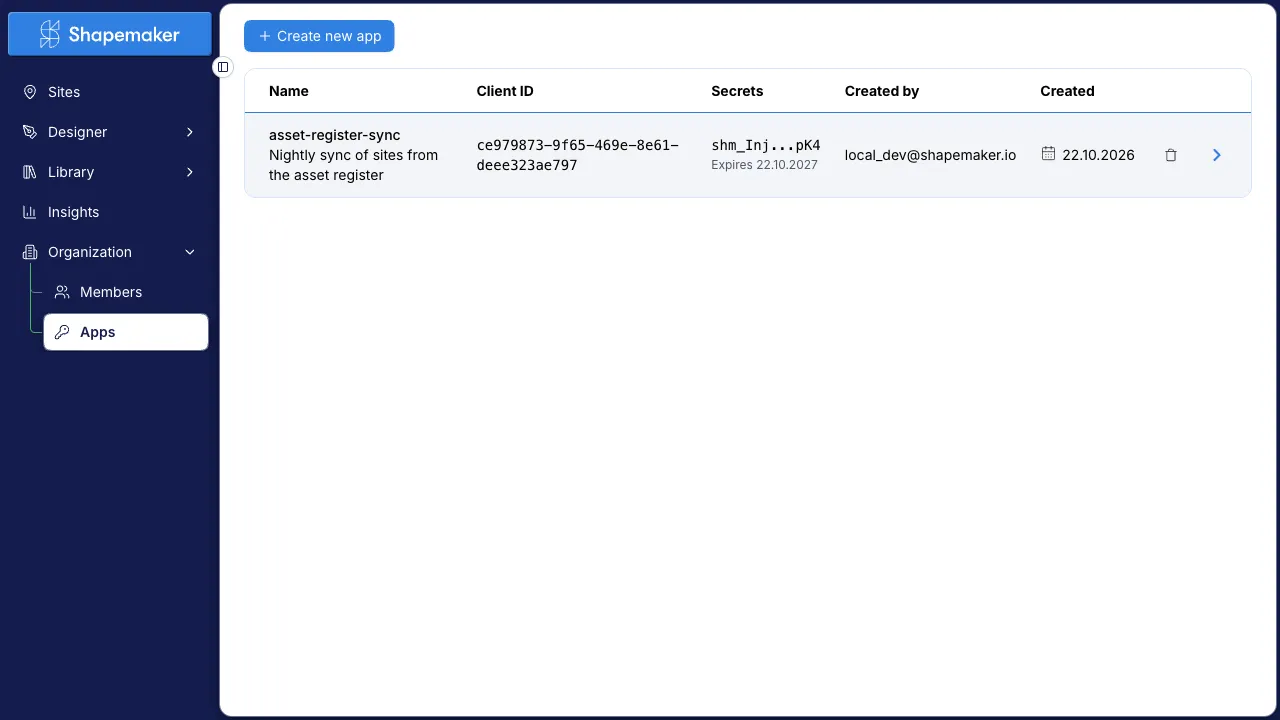
In the sidebar, select Organization, then Apps.
-
Select Create new app.
-
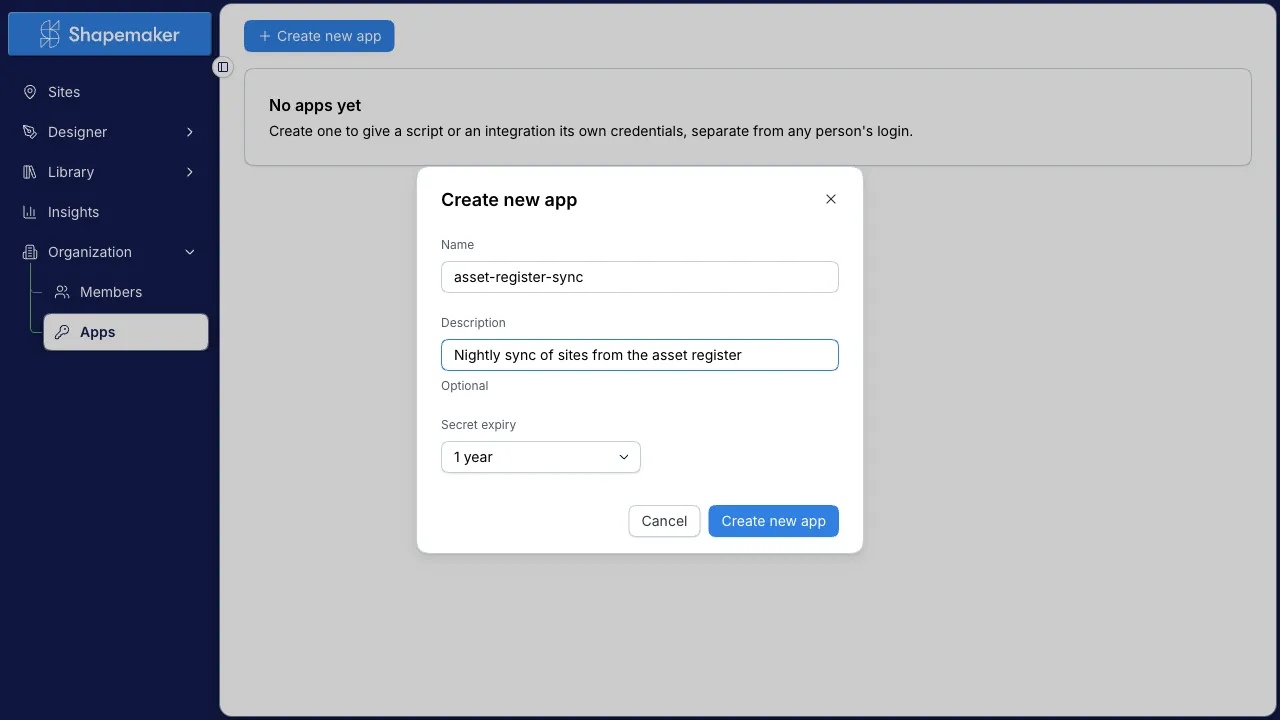
Enter a Name, and optionally a Description. Name the app after the system that uses it. Names use lowercase letters, digits and dashes, up to 64 characters, such as
asset-register-sync. -
Under Secret expiry, choose when the secret expires: one year by default, up to two years, or Never.
-
Select Create new app.
-
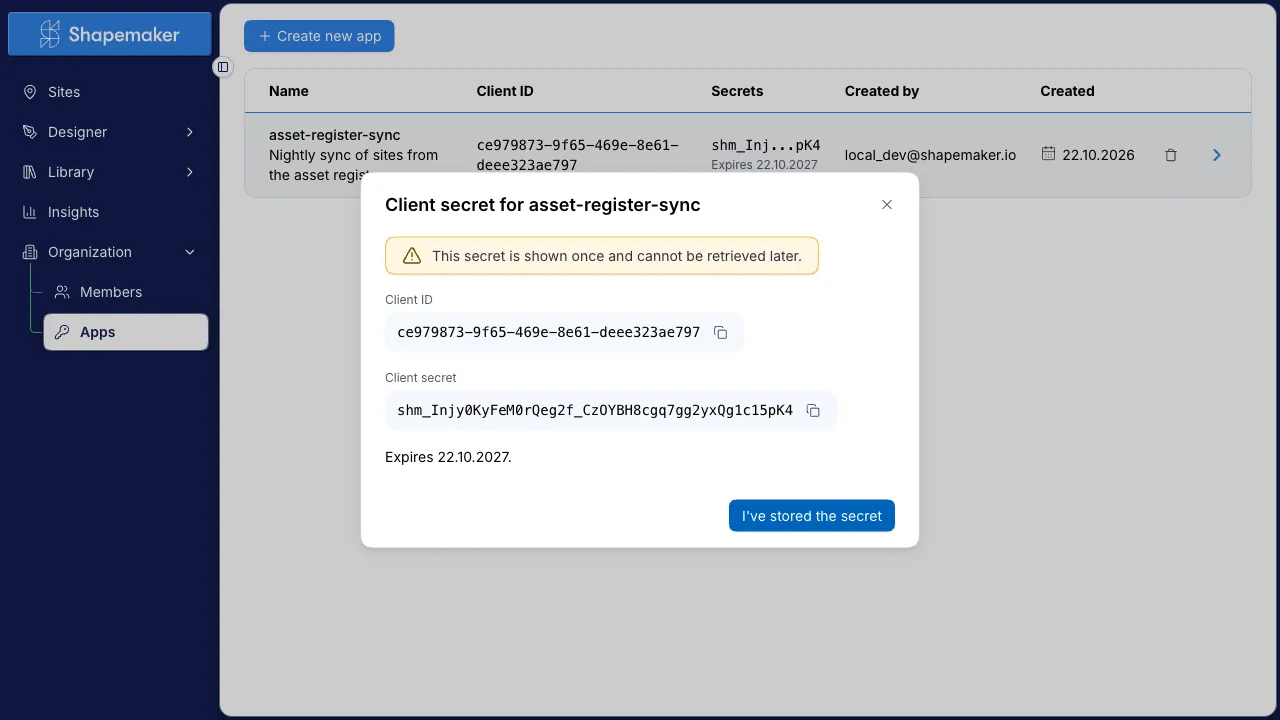
Copy the Client ID and Client secret, store them in your secrets manager, then select I’ve stored the secret.
Request an access token
Section titled “Request an access token”Send the client ID and secret to the token endpoint as HTTP Basic credentials:
curl -X POST https://api.shapemaker.io/v1/oauth/token \ -u "CLIENT_ID:CLIENT_SECRET" \ -d grant_type=client_credentialsIf your client can’t send Basic credentials, send client_id and client_secret as form fields instead. Use one method, not both.
The response holds the access token:
{ "access_token": "eyJhbGciOiJIUzI1NiIsInR5cCI6IkpXVCJ9...", "token_type": "Bearer", "expires_in": 3600}| Field | Description |
|---|---|
access_token |
The token to send with API calls. |
token_type |
Always Bearer. |
expires_in |
Seconds until the token expires. Tokens last one hour. |
Reuse the token for every call until it expires, then request a new one the same way. There is no refresh token.
Call the API
Section titled “Call the API”Send the token in the Authorization header:
curl https://api.shapemaker.io/v1/structures/count \ -H "Authorization: Bearer ACCESS_TOKEN"This returns the number of structures in your organization, which makes it a quick check that authentication works:
{ "totalCount": 15 }The endpoint reference lists every endpoint.
An app has the same access as a member of its organization, except that it can’t:
- Manage apps or issue secrets.
- Manage external collaborators.
- Import sites.
Rotate a secret
Section titled “Rotate a secret”An app can hold several secrets at once, so you can replace one without downtime.
-
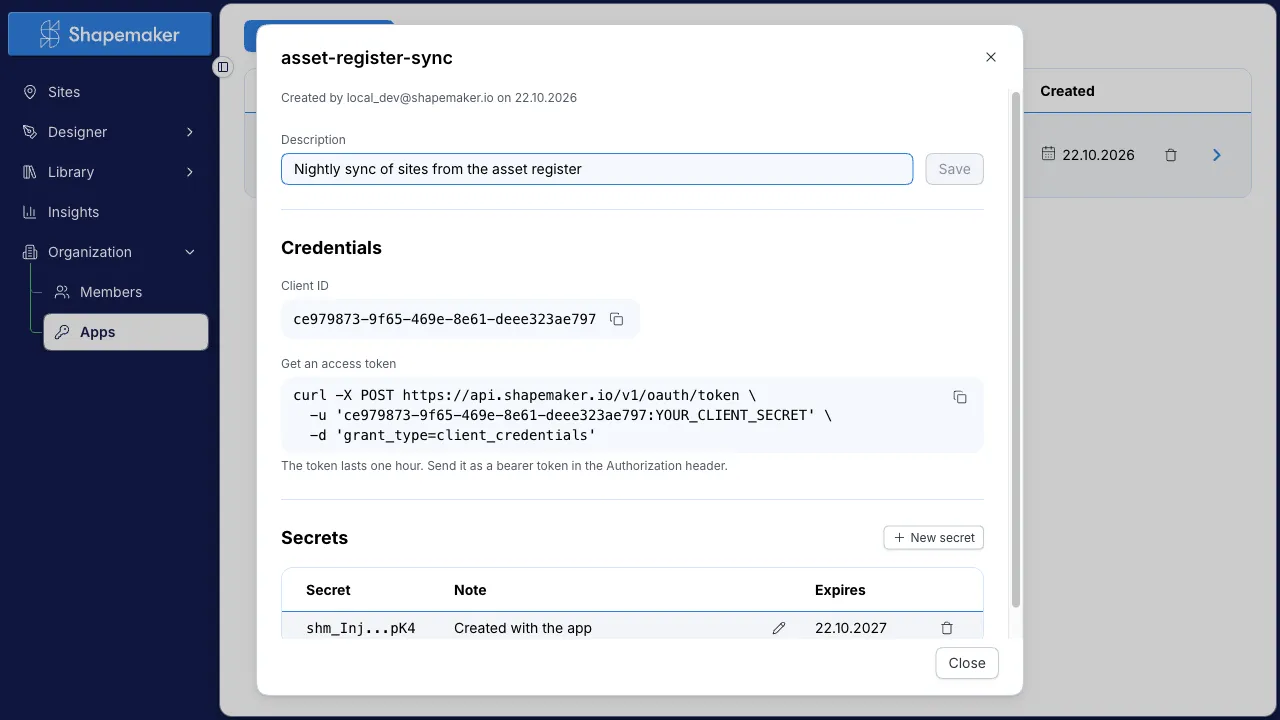
On the Apps page, select the app.
-
Under Secrets, select New secret, then Create secret. Copy the new secret.
-
Deploy the new secret to everything that uses the app.
-
Once every client has requested a new token with the new secret, revoke the old secret with the delete button on its row. Tokens last an hour, so an hour after deploying is enough. A client still holding a token from the old secret gets a
401as soon as you revoke it.
Errors
Section titled “Errors”| Status | Response | Cause |
|---|---|---|
| 400 | invalid_request |
grant_type, the client ID or the secret is missing, or the secret was sent both ways. |
| 400 | unsupported_grant_type |
grant_type isn’t client_credentials. |
| 401 | invalid_client |
The client ID or secret is wrong, the secret has expired, or API access is off. |
| 401 | Invalid app token provided. |
The token’s secret was revoked or expired, the app was deleted, or API access was switched off. |
An expired secret gets the same invalid_client as a wrong one. If a secret that used to work starts failing, check its expiry date on the Apps page.